Projects Overview
Projects are the building blocks of work within Nexastack workspaces. They help you organize tasks, resources, and team collaboration around specific goals.
In Nexastack, a project is a container that organizes tasks, team members, and resources, allowing teams to collaborate effectively and work towards a common goal in a structured way.
Project Access
When a user logs in:
- The Project section is displayed by default.
- A Default Project is automatically created for every new user as an initial workspace.
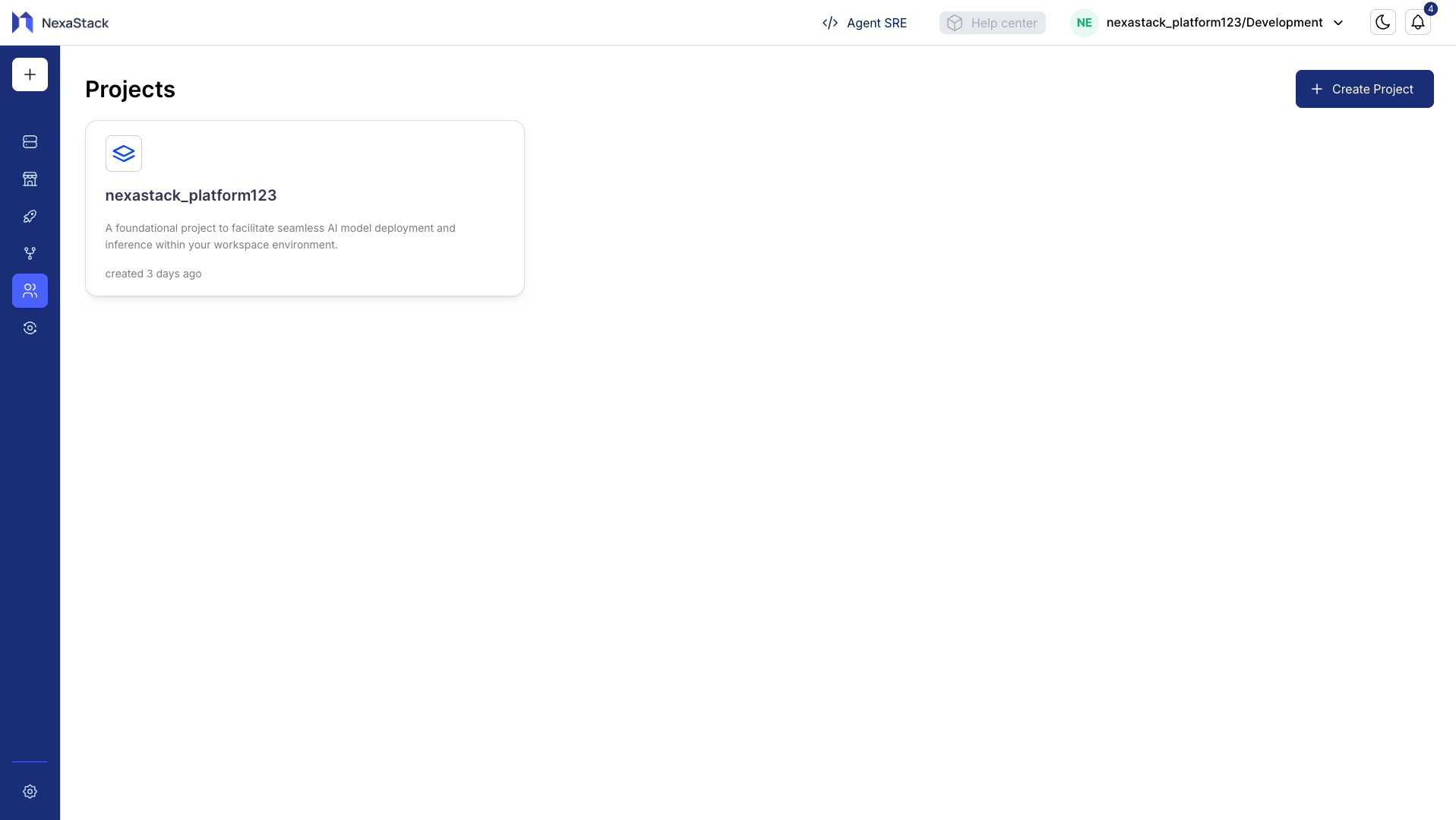
Creating a Custom Project
- Click Create Project.
- Enter the Project Name and Description in the modal.
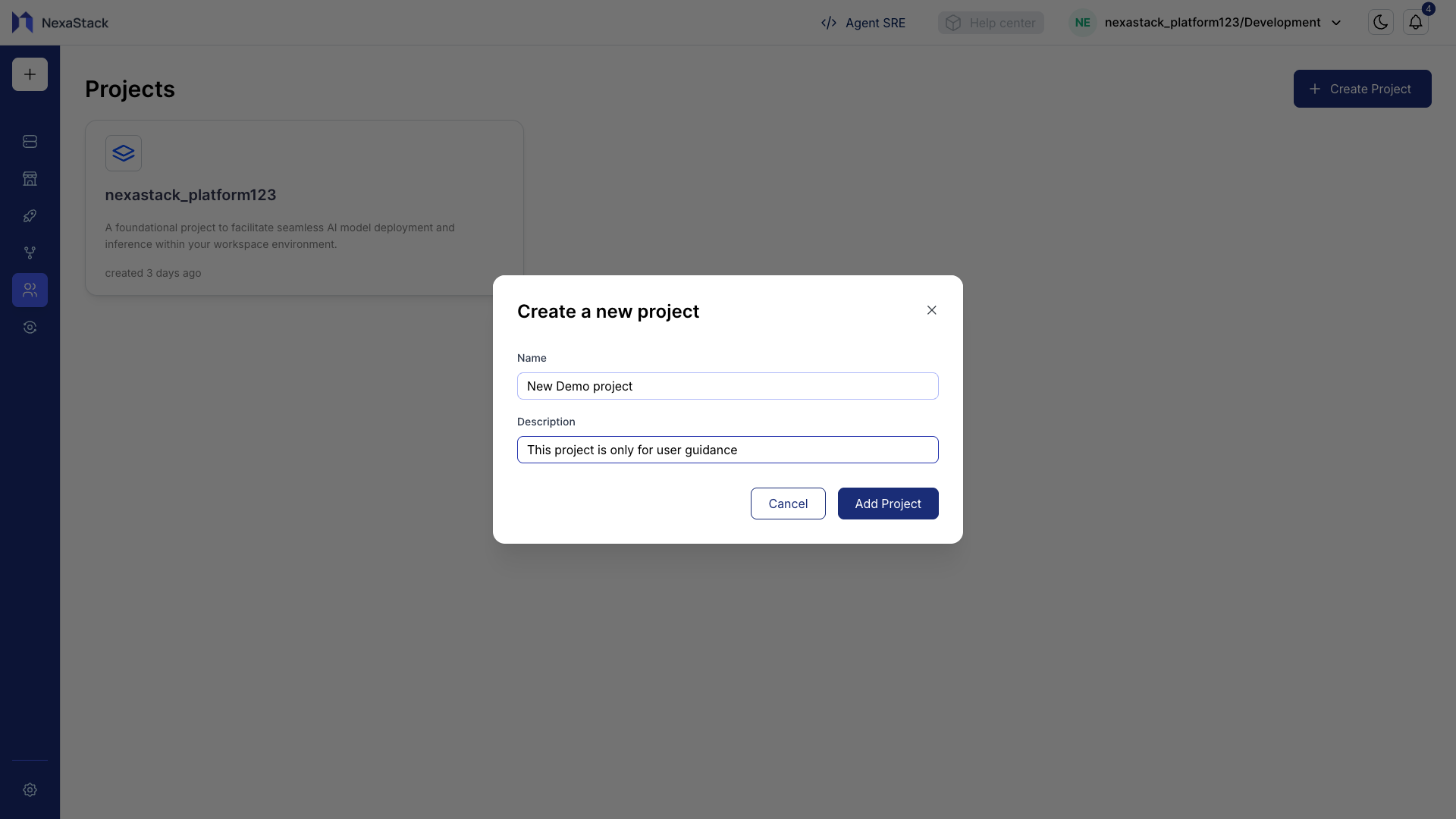
- Click Add Project to create the project.
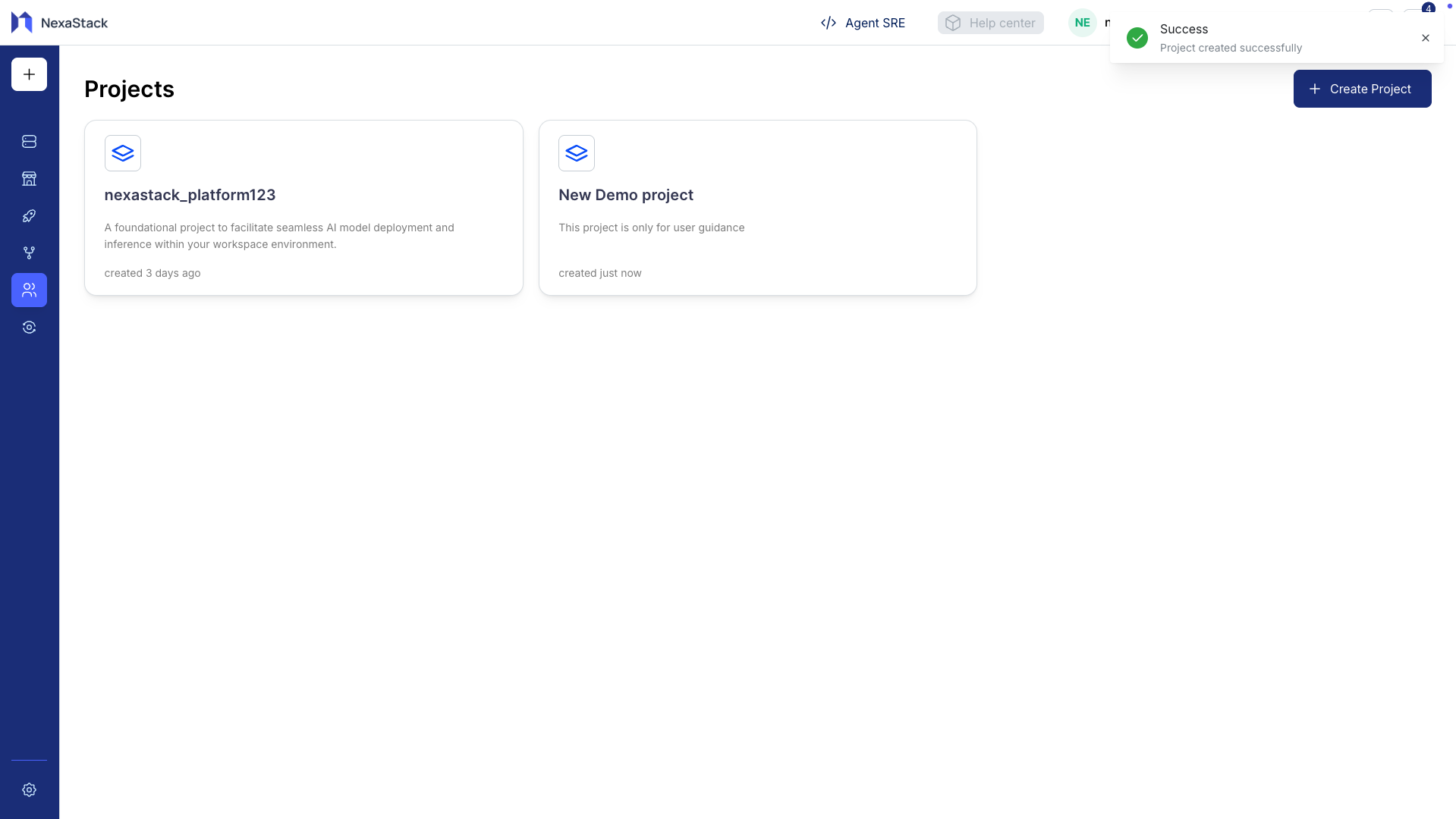
Your new project is now visible in the Projects list and can be accessed immediately.
Opening a Project
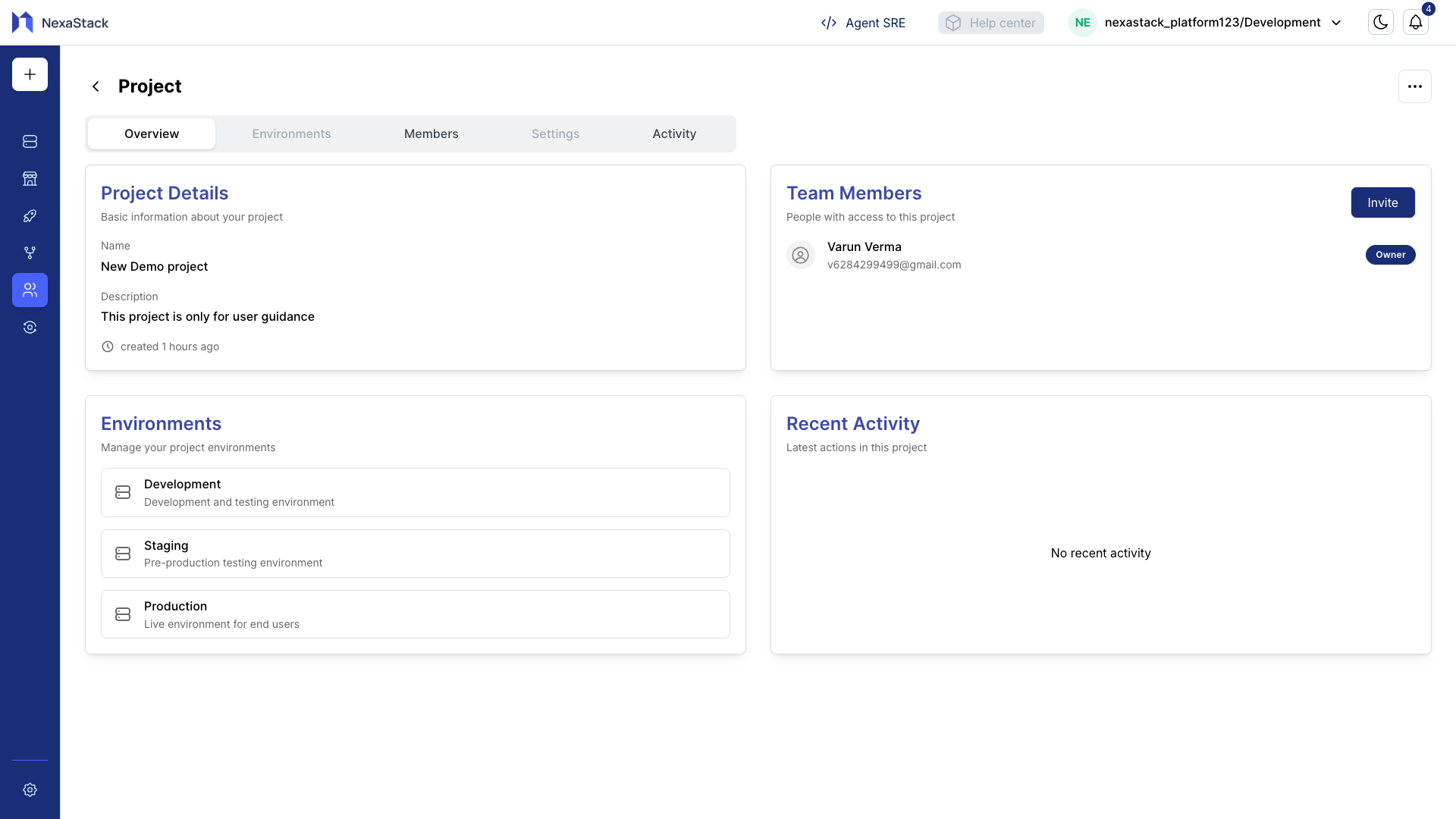
Click on any project to open the Project Overview where you can manage:
- Project Details
- Members
- Environment
- See Latest Activity Feeds
Key Benefits of Projects
Organization
Keep tasks, resources, and members in one place for a specific objective.
Projects provide clarity and help teams focus on goals efficiently.
Collaboration
Manage team participation and assign roles with granular permissions.
Tracking Progress
Monitor member activities and project updates in real-time.