Models Playground & Fine-Tuning Inference Configuration
The Models Playground in Nexastack allows you to experiment with AI models, fine-tune inference parameters, and analyze how adjustments impact the model’s behavior — before deploying it into production.
This environment helps you find the ideal configuration that balances accuracy, creativity, and control for your specific use case.
Goal
To explore different AI models, run example prompts, and adjust inference settings such as Temperature, Top-p, and Max Tokens to understand how each parameter influences model outputs.
Exploring the Models Playground
Follow these steps to test and optimize model configurations in Nexastack.
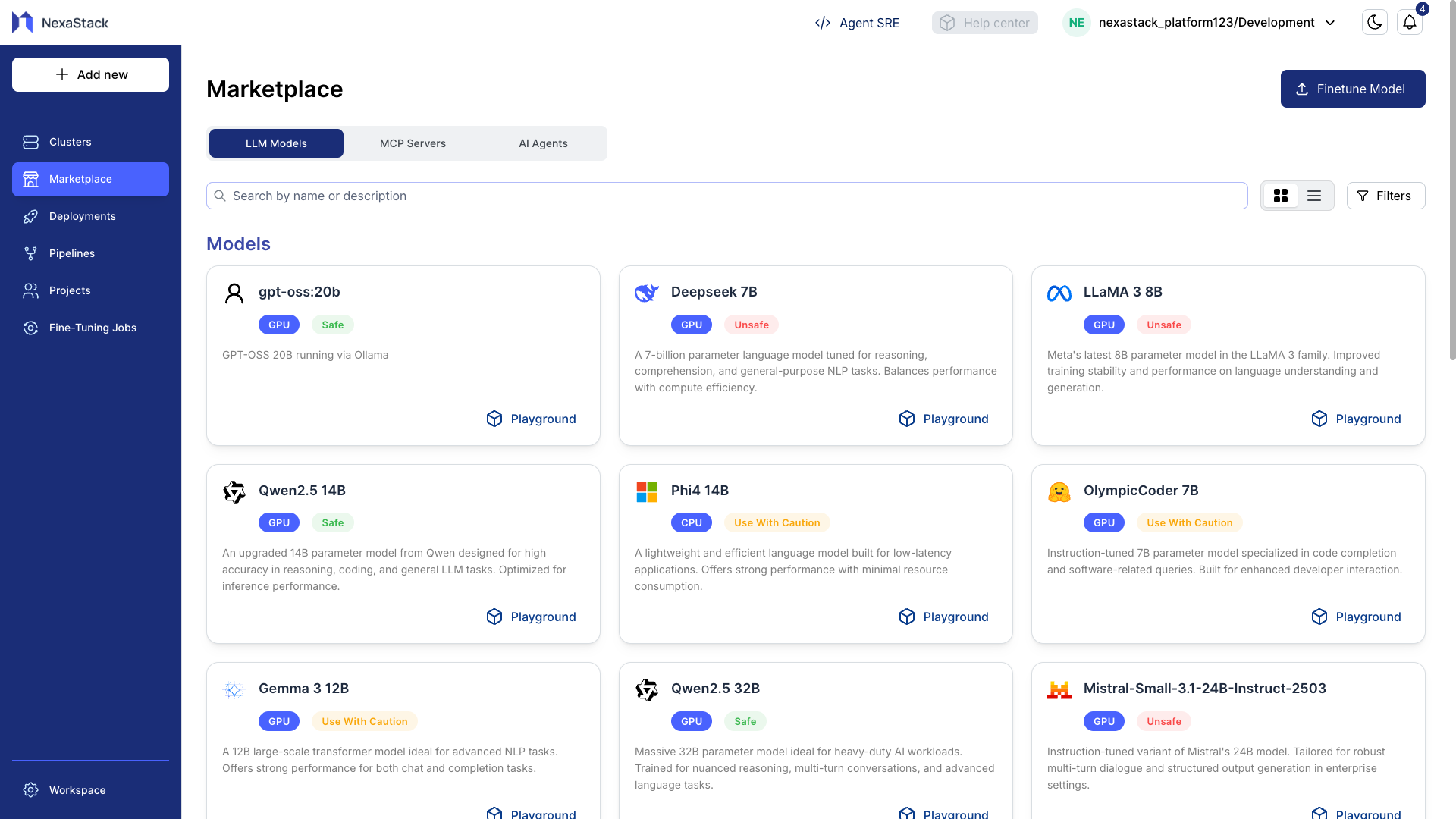
Step 1: Access the Marketplace
- Navigate to the Marketplace section in Nexastack.
- Browse through available AI models from the catalog.
- Select a model you want to explore.
Step 2: Select a Model
- Click on your desired model (for example, Qwen-32B) to open it in the Models Playground.
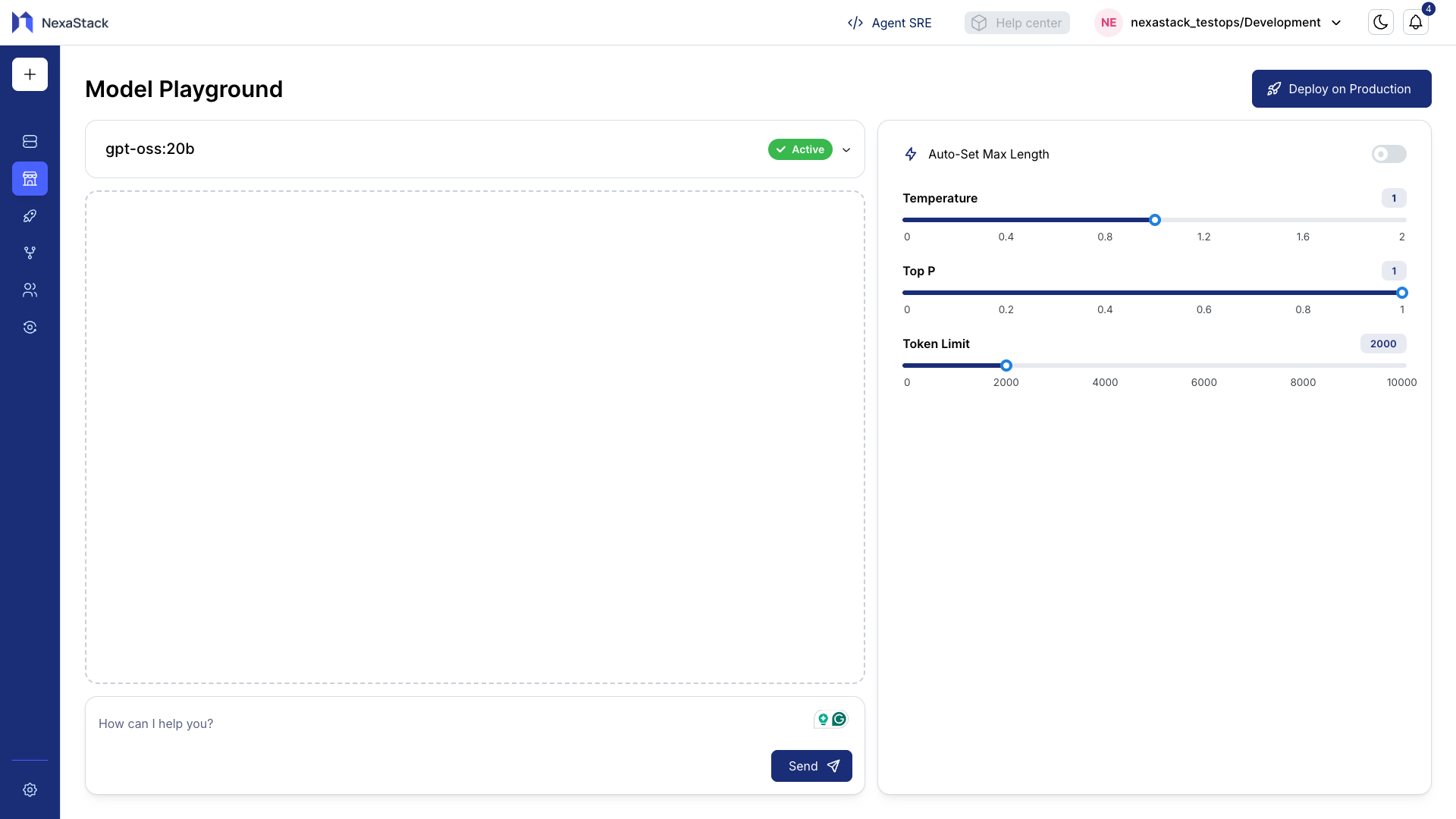
- You’ll be directed to an interactive interface where you can test prompts and modify settings.
Step 3: Run a Prompt
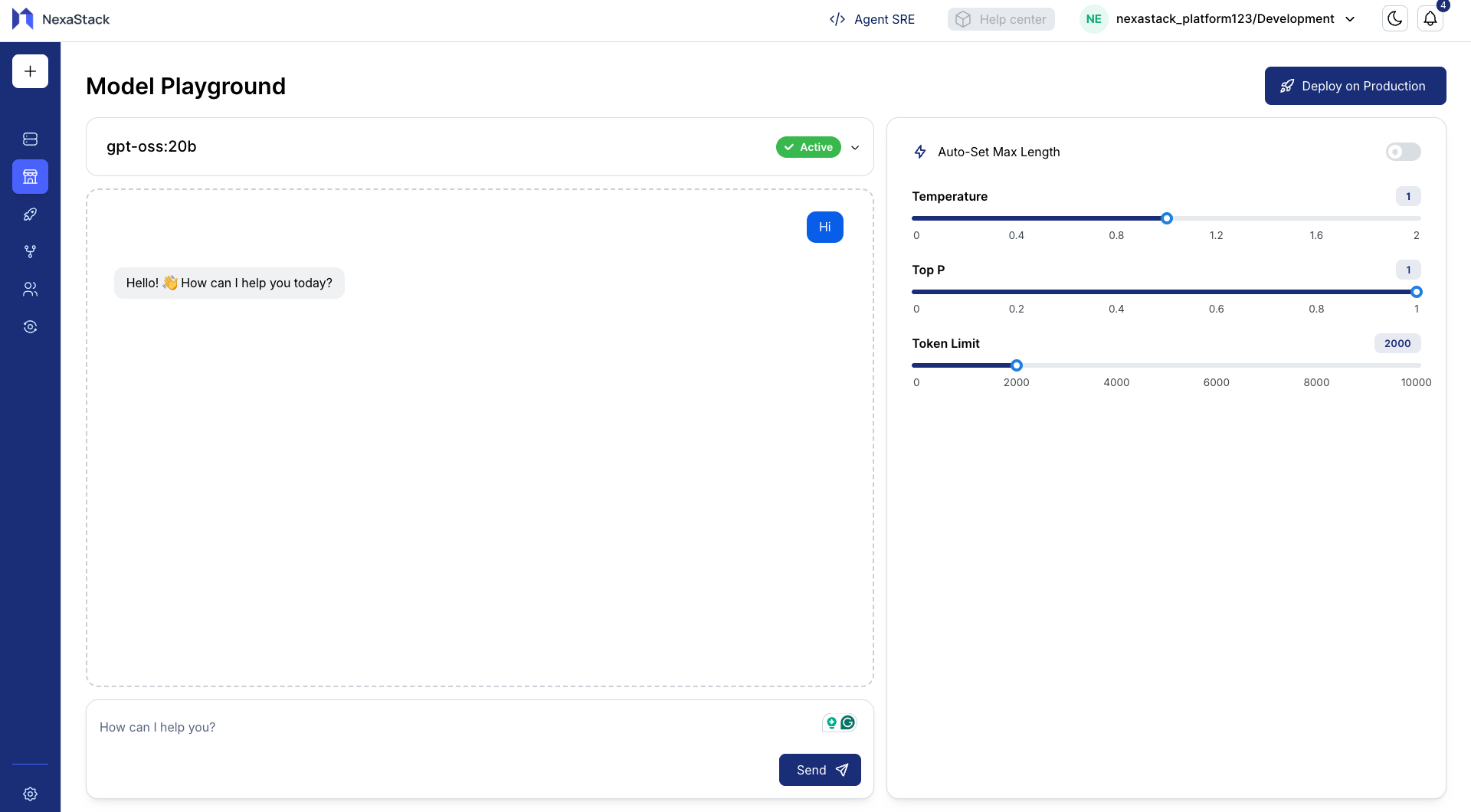
- In the text area, enter a sample prompt to evaluate the model’s response.
Example Prompt: - Click Run Prompt.
- Observe how the model responds to your input.
Step 4: Adjust Inference Parameters
Nexastack provides flexible controls for adjusting inference behavior.
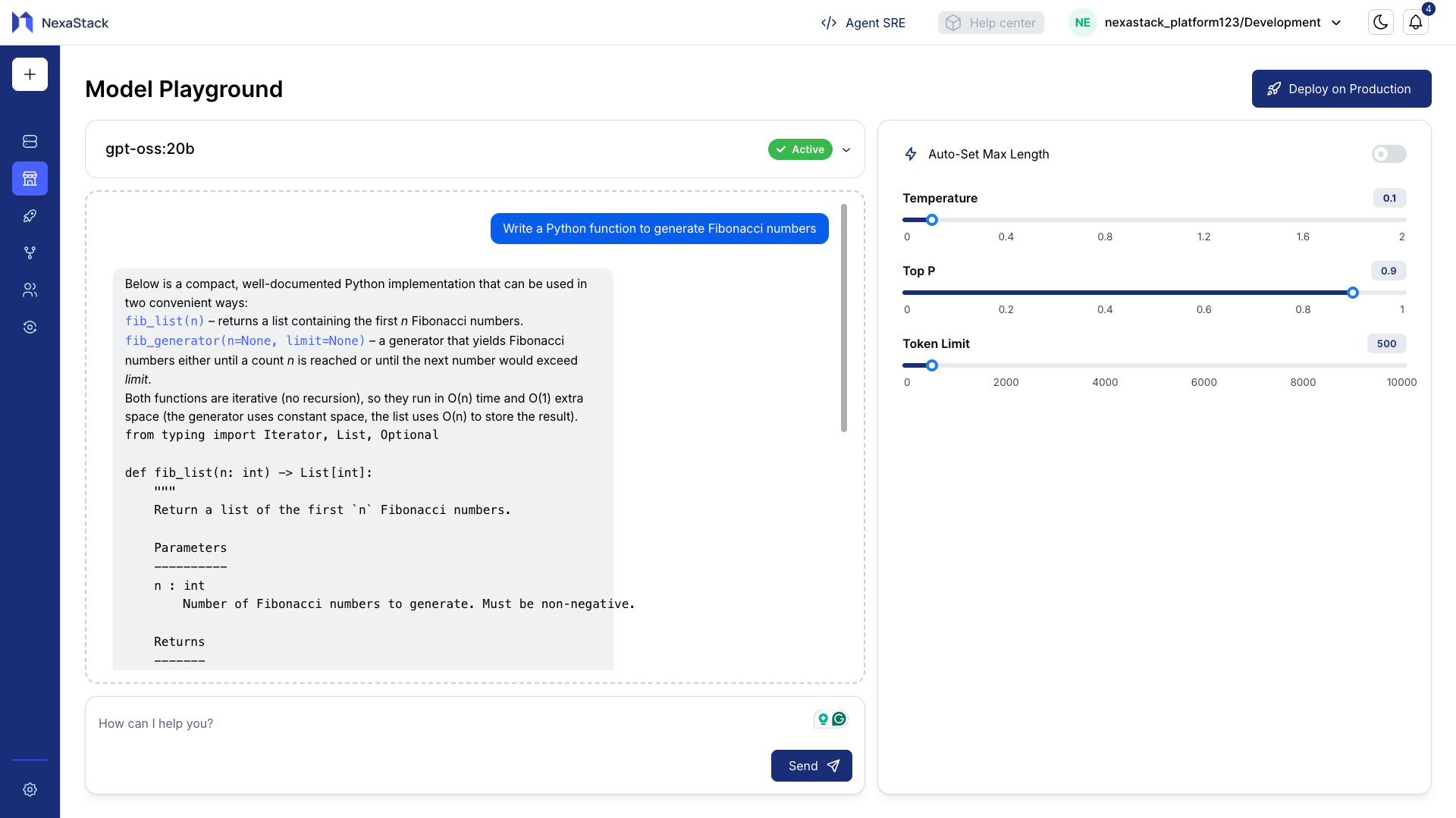
You can tweak parameters like Temperature, Top-p, and Max Tokens to see how the model output varies.
[temp=0.1, top_p=0.9, token_limit=500]
We use Low Temp: to get the Simple code using for loops
⚙️ Inference Parameters Explained
Each inference parameter plays a critical role in shaping the behavior, tone, and consistency of model responses.
🔥 Temperature
Purpose: Controls the creativity and randomness of generated text.
| Range | Typical Values | Effect |
|---|---|---|
| 0 – 2 | 0.2, 0.5, 0.8 | Higher values make outputs more creative and diverse. |
Behavioral Guide:
- Low (0–0.3): Produces more deterministic and factual responses.
- Medium (0.4–0.7): Balances between stability and creativity.
- High (0.8–1.0+): Generates more imaginative and varied responses.
Examples:
| Temperature | Example Output |
|---|---|
0.2 | “Nexastack simplifies AI model deployment.” |
0.8 | “Nexastack acts as your intelligent control center, enabling seamless deployment of scalable AI models.” |
Use 0.3–0.7 for production workloads. Higher values are best for brainstorming or creative tasks.
🎯 Top-p (Nucleus Sampling)
Purpose: Defines how diverse the output can be by controlling the probability distribution of possible words.
| Range | Typical Values | Effect |
|---|---|---|
| 0 – 1 | 0.3, 0.8, 0.9 | Lower values restrict word choices; higher values increase diversity. |
Behavioral Guide:
- Low (0.1–0.3): Very focused and conservative responses.
- High (0.8–1.0): Rich and creative outputs with more variability.
Example:
top_p = 0.3→ “Nexastack is a platform for deploying AI models.”top_p = 0.9→ “Nexastack is an intelligent orchestration platform that empowers teams to deploy and scale AI solutions effortlessly.”
Top-p and Temperature work together. Increasing one may require lowering the other to maintain output coherence.
🧩 Max Tokens (Response Length)
Purpose: Defines the maximum number of tokens (words or parts of words) the model can generate in its response.
| Range | Typical Values | Effect |
|---|---|---|
| 1 – 4000+ | 100, 250, 500 | Controls response length; higher values allow longer outputs. |
Behavioral Guide:
- Low (50–100): Short and concise responses.
- Medium (150–300): Balanced explanations or summaries.
- High (400–800): Long-form responses, narratives, or code outputs.
Example:
| Max Tokens | Example Output |
|---|---|
100 | “Nexastack helps deploy models quickly.” |
400 | “Nexastack provides an integrated ecosystem for deploying, scaling, and managing AI models across distributed Kubernetes clusters with complete observability.” |
Setting very high max_tokens increases latency and cost. Choose a reasonable limit based on your use case.
How Parameters Work Together
| Parameter | Controls | Recommended Range | Ideal For |
|---|---|---|---|
| Temperature | Creativity & randomness | 0.3–0.7 | Balanced, stable outputs |
| Top-p | Token diversity | 0.8–1.0 | Natural, human-like responses |
| Max Tokens | Output length | 100–500 | Summaries or detailed explanations |
Experimentation Workflow
To get the most out of the Models Playground:
- Run sample prompts with different parameter combinations.
- Observe how the model’s tone, detail, and structure change.
- Identify the configuration that best fits your use case.
- Save the optimal setup for use in Model Deployment.
The Playground helps you discover the best inference settings before deployment — minimizing trial and error in production.
Best Practices
- Start with balanced settings:
Temperature: 0.5 | Top-p: 0.9 - Increase temperature gradually for more creativity.
- Set
max_tokensaccording to your expected response length. - Keep notes of tested configurations for consistency.
- Revisit the Playground regularly as models evolve.
You’ve successfully explored, fine-tuned, and optimized inference configurations in the Nexastack Models Playground.
Your next step is to confidently deploy and monitor models in production.