Workspaces Overview
Workspaces are the foundation of Nexastack. They provide a centralized environment where teams can collaborate, organize projects, and manage resources.
A workspace is your team's central hub where all projects, members, and resources are organized and managed together.
What is a Workspace?
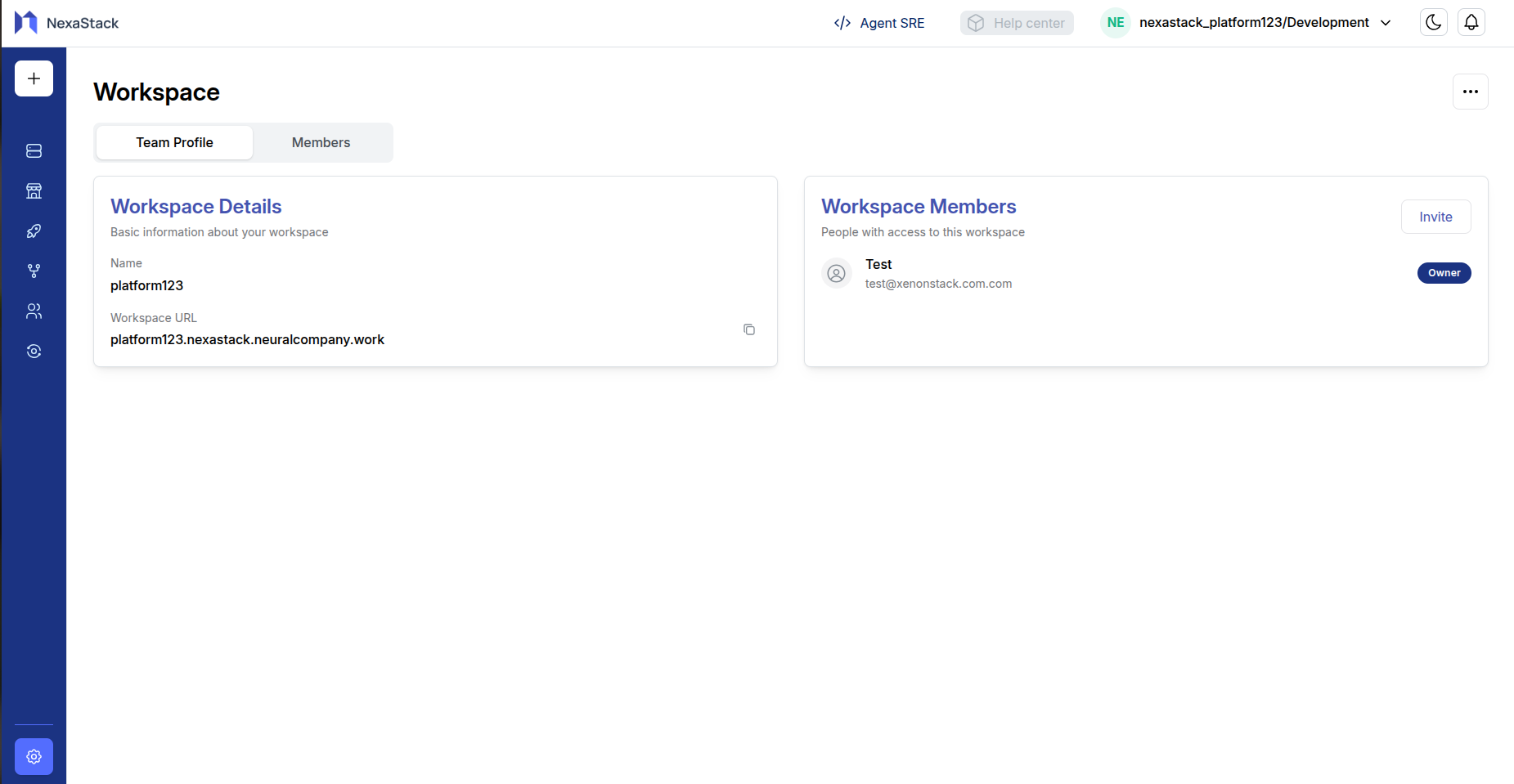
A workspace is a shared environment that contains:
- Projects: Multiple projects organized under one umbrella
- Team Members: Users who have access to the workspace
Key Benefits
Organization
Keep all related projects and team members in one place. Workspaces help you maintain a clear structure for your work.
Workspaces provide a clean, hierarchical organization that makes it easy to find and manage all your team's work.
Collaboration
Invite team members to your workspace and collaborate across multiple projects seamlessly.
With all team members in one workspace, collaboration becomes effortless across different projects and tasks.
Access Control
Manage who has access to your workspace and what they can do with granular permission settings.
Proper access control ensures your workspace remains secure while enabling effective collaboration.
Getting Started
Your workspace is automatically created during the registration process. After completing registration and workspace creation, you can:
- Manage Your Workspace: View details, invite members, and configure settings
- Start Collaborating: Begin working with your team on projects
- Organize Projects: Create and manage multiple projects within your workspace
Your workspace is set up and ready for collaboration immediately after registration. You can start inviting team members and creating projects right away.